| |   Table of Contents Table of Contents
1. What is Active Temperature Control?
2. What is a Temperature Protocol?
3. What temperatures does it work at?
4. How long does the battery charge last?
5. How long does it take to charge the unit?
6. How do I change the temperature setting?
7. Do I need the exterior enclosure?
8. Can I get the unit customized with my company name on the it?
9. Where do I put the ice pack?
1. What is Active Temperature Control?
| The temperature is actively controlled by a battery operated microprocessor which maintains the temperature to the precise setting specified. The Genesis Shipper is a smart refrigerator or incubator for the sample. There is NO ICE pack, NO ice block, NO ice-gel pack, or NO dry-ice to provide passive cooling by which dissipates with time. The Genesis Shipping Device maintains the temperature regardless of the ambient outside temperature. Whether the unit is at 30,000 feet in a freezing, airline cargo hold or parked in an enclosed, sweltering deliver van, the sample will maintain the preset condition for the duration of the battery life.
|
Back to Top
2. What is a Temperature Protocol?
| When slow temperature change is recommended to not stress out the biological sample, a temperature ramp-down profile is used to cool samples slowly.
When the temperature is constant or at steady state, the unit will maintain that one temperature setting constantly.
When a temperature profile is programmed into the unit, the temperature will start at the initial temperature and gradually change at a predetermined rate until it reaches the desired set point. At which time it will maintain the set point temperature until the programming dictates that it goes to a new set point.
|
Back to Top
3. What temperatures does it work at?
| The units are designed to operate between 4°C to 40°C.
For special temperature protocol design, contact our customer support for a quote on a customized unit.
|
Back to Top
4. How long does the battery charge last?
| The temperature setting of the unit and the ambient temperature is key to the duration of the charge. Depending on how hot or cold the outside temperature is the unit must work to maintain, heat or cool the sample. However, typically the unit will run from 72 to 150 hours depending on the temperature. This provides ample time for shipments across the county or priority shipments overseas.
|
Back to Top
5. How long does it take to charge the unit?
| When the battery has run a couple of days, it will take 7-11 hours to recharge to full capacity. Typically this is overnight.
The integrated charger-battery unit has several safety interlocks, so it is not recommended to let the unit run completely out of charge.
|
Back to Top
6. How do I change the temperature setting?
| The factory sets the temperature setting per the initial purchase order request. If the user wishes to change the temperature setting, this can be accomplished in two ways.
1) Purchase a Genesis Smart Chip to reset the temperature
2) Return the unit for factory service & re-programming
|
Back to Top
7. Do I need the exterior enclosure?
| While the exterior enclosure is not needed to run the device, it is mandatory when shipping the device. Some clients use the units to store the samples collected at their facilities until they get to their lab. However when shipping, the exterior enclosure protects the unit while providing ventilation openings which the device needs unobstructed to run.
|
Back to Top
8. Can I get the unit customized with my company name on it?
| For special exterior cover color or logo customization, or temperature protocol design, contact our support staff for a quote on a customized unit.
|
Back to Top
9. Where do I put the ice-pack?
| The shipper is like a miniaturized battery operated refrigerator. There is NO ICE pack, NO ice block, NO ice-gel pack, or NO dry-ice to provide passive cooling. The temperature is actively controlled by an battery operated microprocessor which maintains the temperature to the precise setting specified.
|
Back to Top
|  | | | | |
|
|
|
|
|
|
|
 |
|
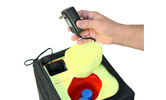
1. Charge & Turn it on |
|
|
|
 |
|
2. Load Sample |
|
|
|
 |
|
|
|
Thank you for visiting us at: |
|
|
| |
Micro Q LLC ©
Copyright: 2009. All rights reserved
| | | | |
| | | | | |
|
|